 Zinn® Backups
Features
A daily copy of your WordPress site's files and database, kept for 30 days on storage that is not your web server. Connect over SSH or with our plugin, keep your host, and restore in one click when you connect over SSH.
Your backups live somewhere your server cannot touch
A backup kept on the web server is gone the moment that server is: a failed disk, a host that suspends the account, or an attacker who reaches the files deletes the site and its backups together. Zinn® Backups keeps every copy on object storage we run on Cloudflare R2, a different company's infrastructure from wherever your site is hosted.
The archive travels straight from your server to that storage over HTTPS, using a short-lived upload link made for that one backup. It does not pass through our application servers, and nothing is left behind on your web space once the upload finishes.
- Copies on Cloudflare R2 storage we operate, separate from your host
- Uploaded straight from your server with a short-lived link
- Nothing left on your web space afterwards
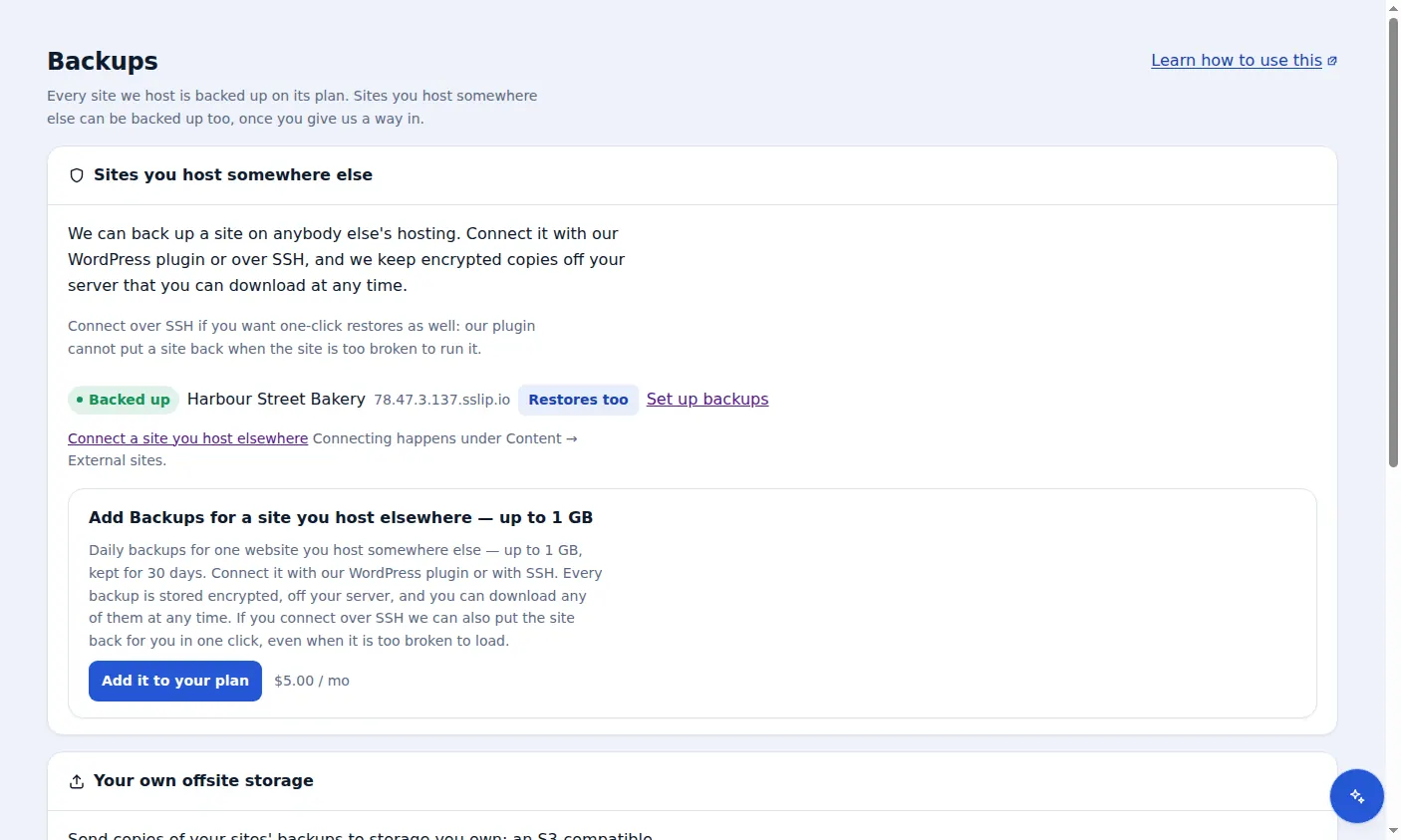
Connect over SSH, or with a plugin when SSH is not an option
The strongest connection is SSH. You create a key used only for backups, add its public half to your hosting account, and paste the private half into the dashboard, where it goes into our secrets vault and is never shown again. Over SSH we archive the site folder and export the database with WP-CLI, and because we reach the server rather than WordPress, we can restore a site that no longer loads.
On hosting without SSH access, the Zinn® Connector plugin does the work from inside WordPress: it builds the archive and database export itself and uploads them. The plugin cannot restore, for the simple reason that a site broken badly enough cannot run the plugin that would repair it, so the dashboard tells you plainly which connection each site has.
- SSH or SFTP with a key you create only for backups
- Keys held in our secrets vault and never shown again
- The Zinn® Connector plugin (WordPress 6.6+, PHP 8.2+) where SSH is not available
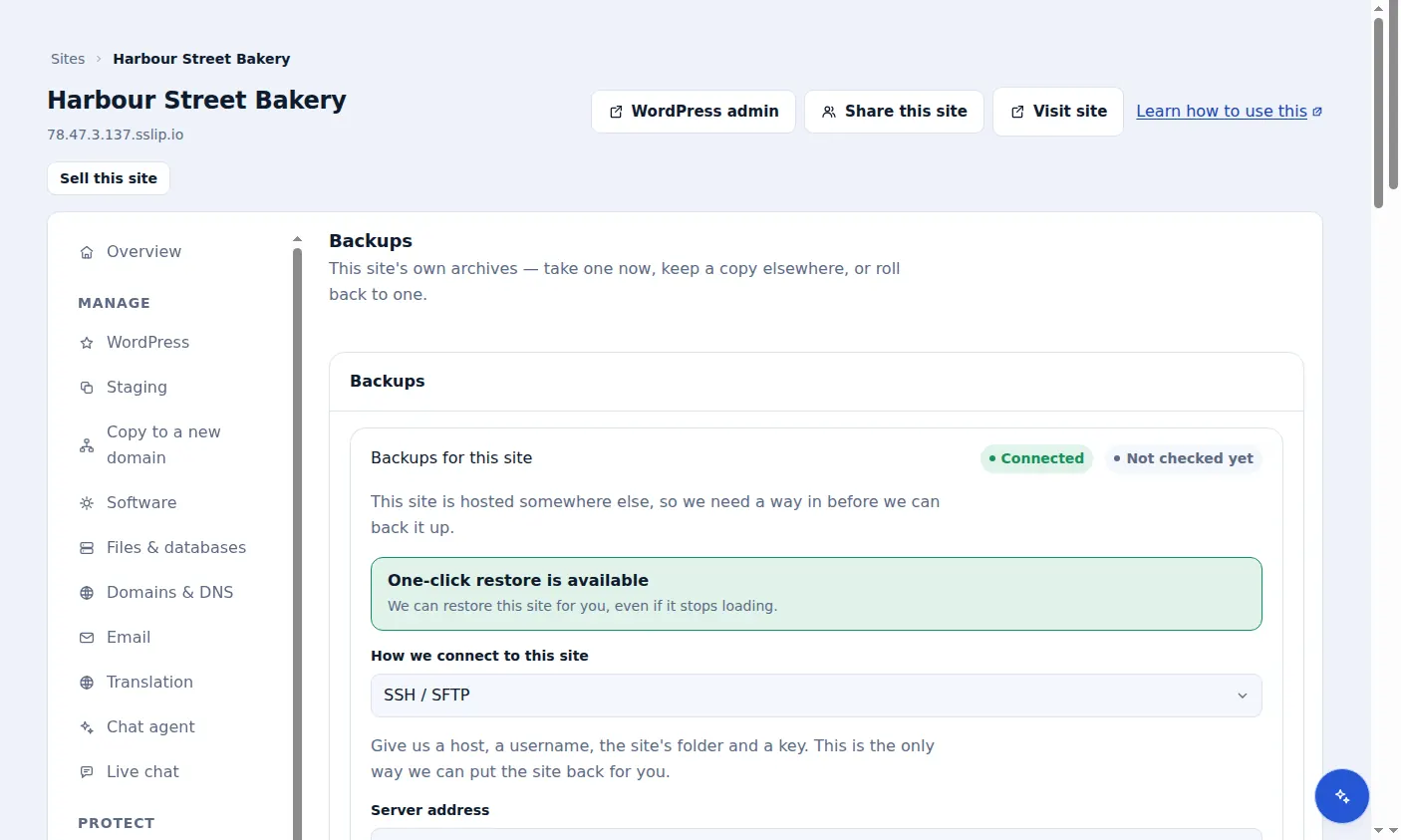
Files and the database, in one archive
A WordPress site is two things that have to match: the files (themes, plugins, uploads, wp-config) and the database that holds posts, pages, orders and settings. Every backup captures both into a single compressed archive, and records whether the database export was included, so you never discover at restore time that half the site is missing.
Over SSH the database export needs WP-CLI on your server. If it is not available the files are still backed up and the backup is marked as having no database, so you can ask your host to enable it rather than finding out later.
- Site files and a database export in one archive
- Each backup records whether its database is included
- Folders under wp-content can be excluded in the plugin
Daily copies, locked for 30 days
Once a site is connected nobody has to remember anything. Whenever its last successful backup is more than a day old a new one is started, and every copy is kept for 30 days. A site whose backups keep failing is retried less often, down to about once a week, so a broken connection does not hammer your server; fixing it brings the site straight back to daily.
Each copy sits under a 30-day retention lock on the storage itself. For those 30 days it cannot be overwritten or deleted, whether by an attacker who has taken over your WordPress admin, by a mistake in your account, or even with our own application's storage credentials. Copies are removed once they are past the lock, with a final clean-up by the storage at 37 days.
- A new backup when the last good one is over a day old
- A 30-day retention lock on every copy
- Removed after the lock, with a final clean-up at 37 days
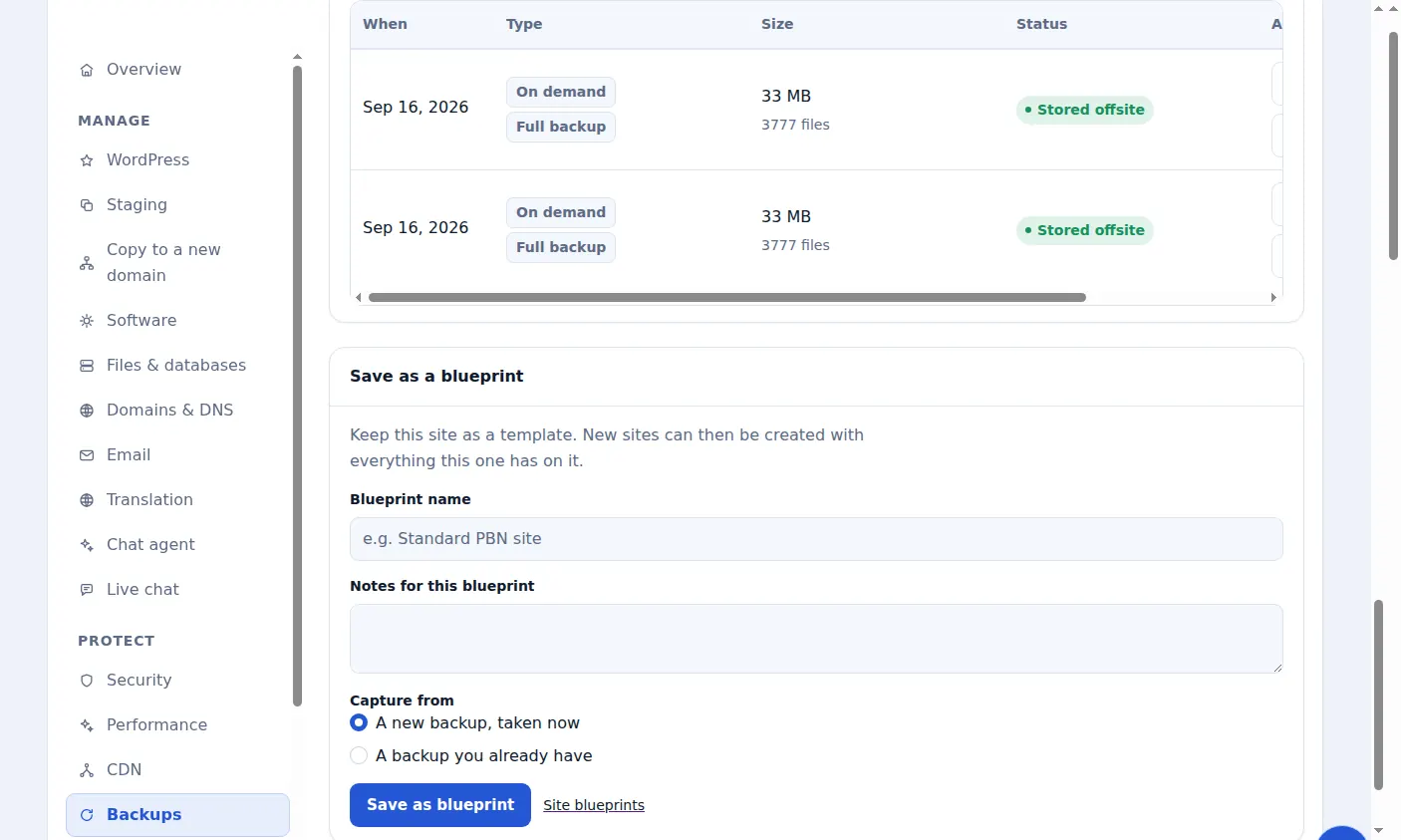
One-click restore, even when the site is down
Restoring over SSH is run from our side. Pick the copy from before the problem started and confirm; we connect to your server, unpack the archive over the site and import its database. Because it does not depend on WordPress working, it is the restore you can still use after a failed update or a hack.
A restore overwrites the site's files with the backup's and replaces the database, but it does not delete files that were added after the backup was taken, so check for anything unfamiliar afterwards, especially after a compromise.
- Available for sites connected over SSH
- Works when WordPress itself will not load
- Files and database put back from the copy you choose
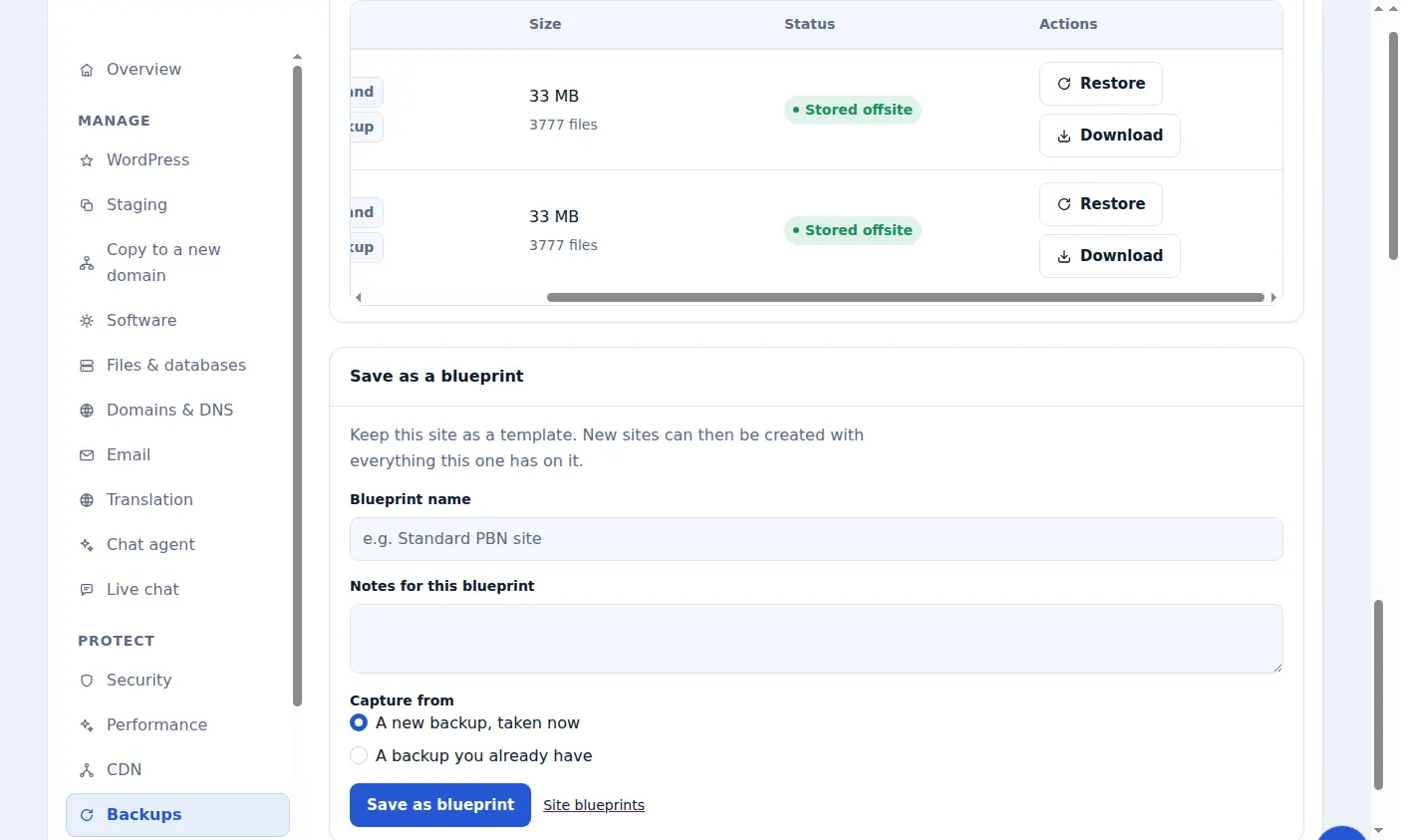
Download any copy, and keep it
Every stored backup can be downloaded as an archive from the site's Backups tab. The download link is made when you ask for it and expires shortly afterwards, so a leaked link is not a lasting way into your data.
Downloading a full copy of a site is a separate permission from managing its backups, so a team member can run and watch backups without being able to walk away with the whole site.
- Any stored copy, as a compressed archive
- Download links created on demand and short-lived
- A separate permission from managing backups
Priced by the size of each site
There is one tier per site, chosen by how big that site is: up to 1 GB, 10 GB or 50 GB. Every tier includes the same things, daily backups, the 30-day lock, downloads and one-click restore over SSH, so the only decision is size.
Tiers are per site and do not pool. If a site grows, buy the larger tier for that site and it replaces the smaller one rather than adding to it. A backup larger than the site's tier is refused before it is uploaded, and the dashboard says so, rather than quietly storing more than you pay for.
- 1 GB, 10 GB and 50 GB tiers, one site each
- Everything included on every tier
- Over-size backups refused before upload, with the reason shown
Malware clean-up when a site is already infected
A backup from before a hack is the fastest way back. When there is no clean copy, or you cannot tell when the compromise began, an engineer removes the malware by hand, repairs defaced pages, spam and redirects, finds how the attacker got in and closes it.
It is a single fixed price per site, however long it takes, for a site hosted anywhere. Afterwards, connecting the cleaned site to backups means the next incident is a restore rather than an emergency.
- Malware and backdoors removed by an engineer
- The way in found and closed
- One fixed price per site, for any host
Included with Zinn Digital® hosting
Host the site with us and backups are part of the plan
Sites on Zinn Digital® WordPress hosting are backed up by the hosting plan itself, with malware scanning and a firewall included, so there is no separate backup bill. This product is for the sites you keep somewhere else.